Mux Asset Index
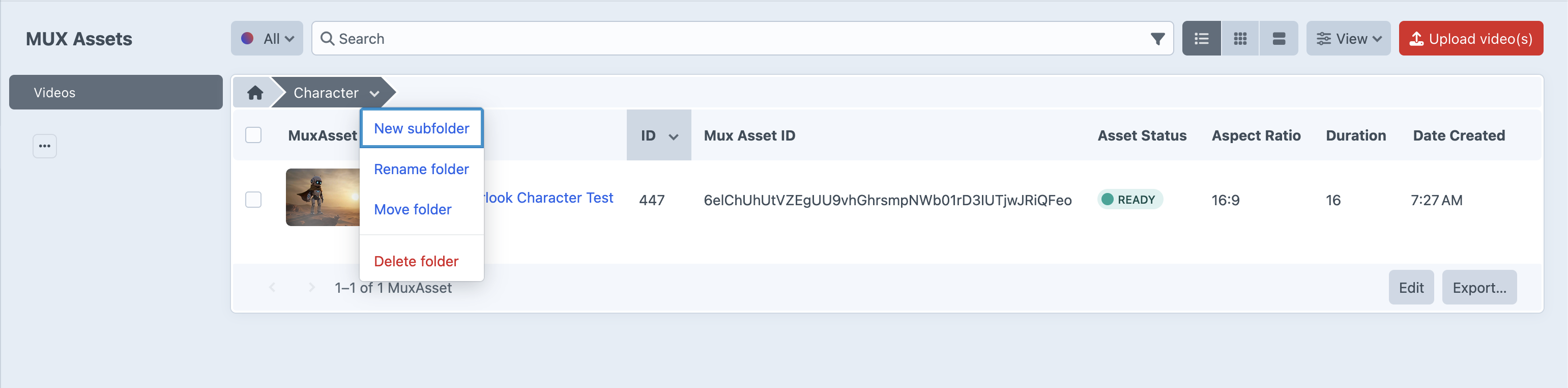
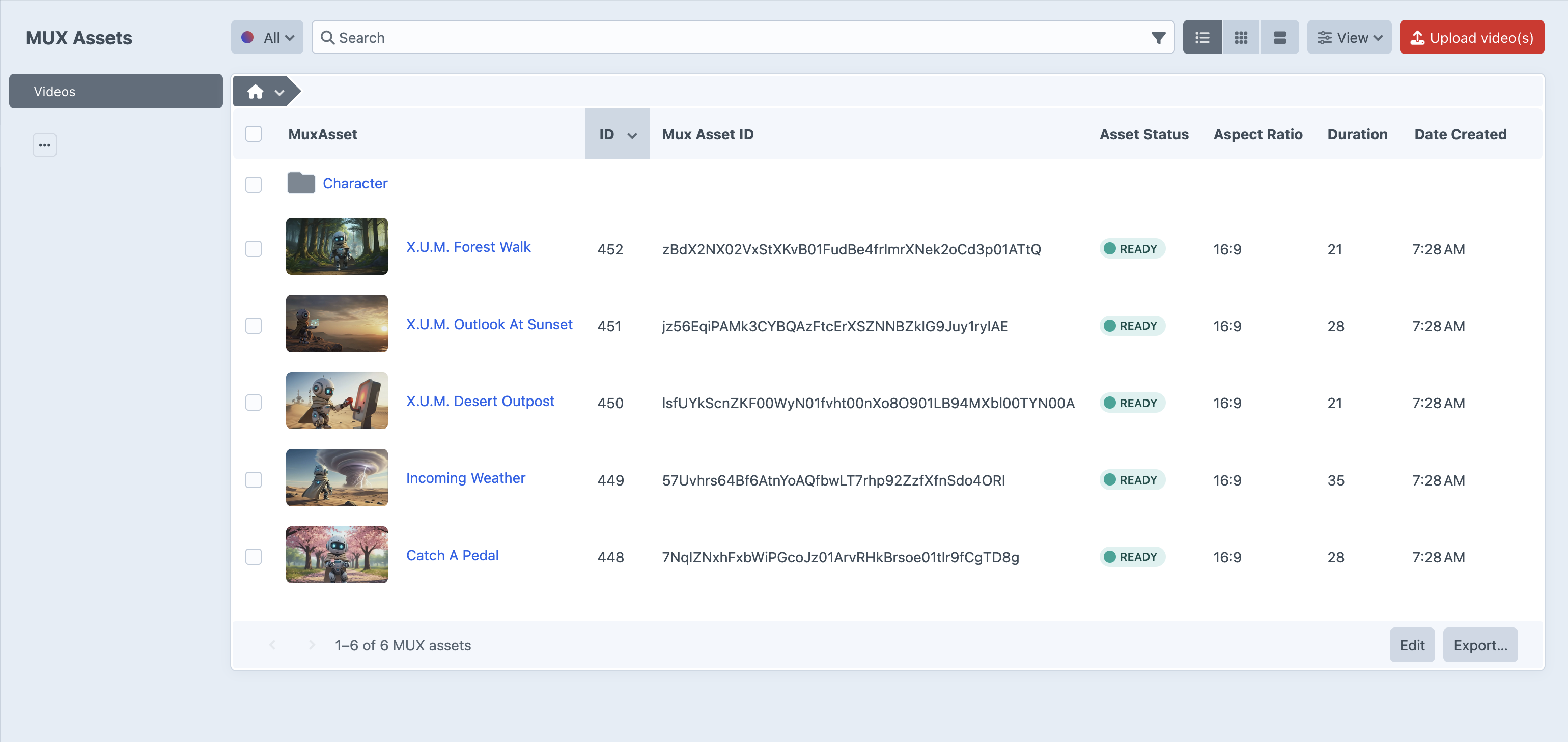
The asset index is using Craft's element index so it will feel familiar. We have also built on top of Craft's asset view where you can add Volumes and Folders to organize your assets.
The index accepts video and audio files. Accepted extensions come from Settings → Mux → Accepted Upload Extensions (defaultExtensions). Audio-only assets (no video track) show a dedicated audio icon instead of a video thumbnail and skip hover-to-animated-preview.
Element Index
Uploading files
The primary CP upload flow is the Upload Files button on the asset index (requires the mux:assets-create permission). It opens a multi-step wizard. Page-level drag-and-drop onto the index is still supported and feeds the same upload pipeline.
Upload wizard
The wizard has three steps: Select, Details, and Settings.
| Step | What you do |
|---|---|
| Select | Drop or browse local files, or paste a public URL for Mux to ingest (no local upload). |
| Details | Review the batch and set a title per item. |
| Settings | Optional per-batch overrides for playback policy, video quality, auto-generated captions and language, audio normalization, and watermark overlay. |
URL ingest uses actions/mux/assets/create-asset-from-url. Direct file uploads still use Mux direct uploads (actions/mux/assets/upload-asset).
Leave watermark override off to inherit the plugin’s global watermark settings. Enable it to apply a different overlay for this batch, or disable overlay for this batch only.
Upload tray
A persistent progress tray lists in-flight and recent uploads with tabs All / Queued / Uploading / Uploaded / Failed. From the tray you can pause, resume, cancel, retry, or remove items. When a batch completes, the element index refreshes automatically.
Element Index Asset Actions
NOTE
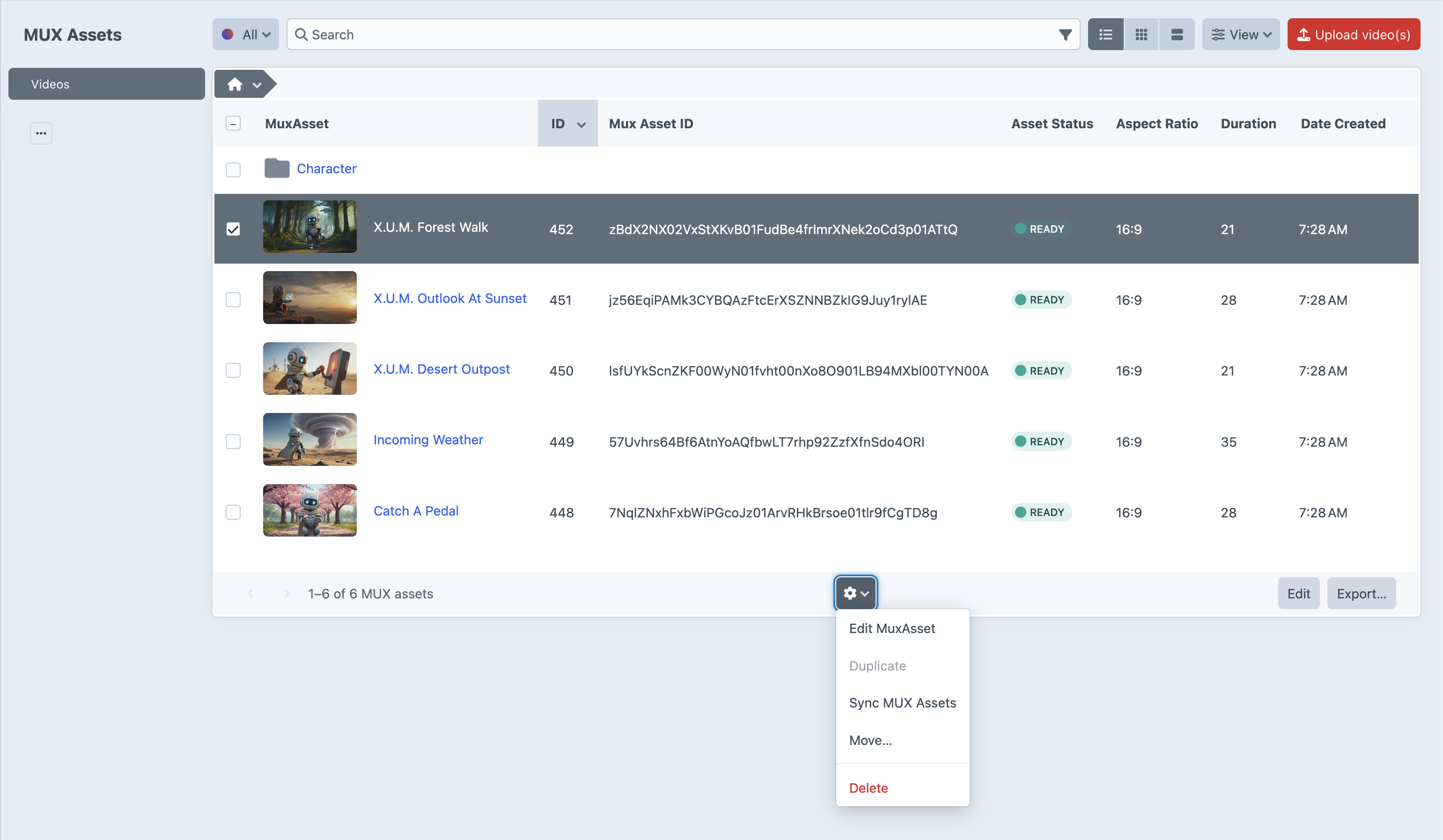
If your webhook was not set up, or if an asset's data did not update from Mux for any reason, you can manually select that asset and sync its data from Mux.
Element Index Volume Actions
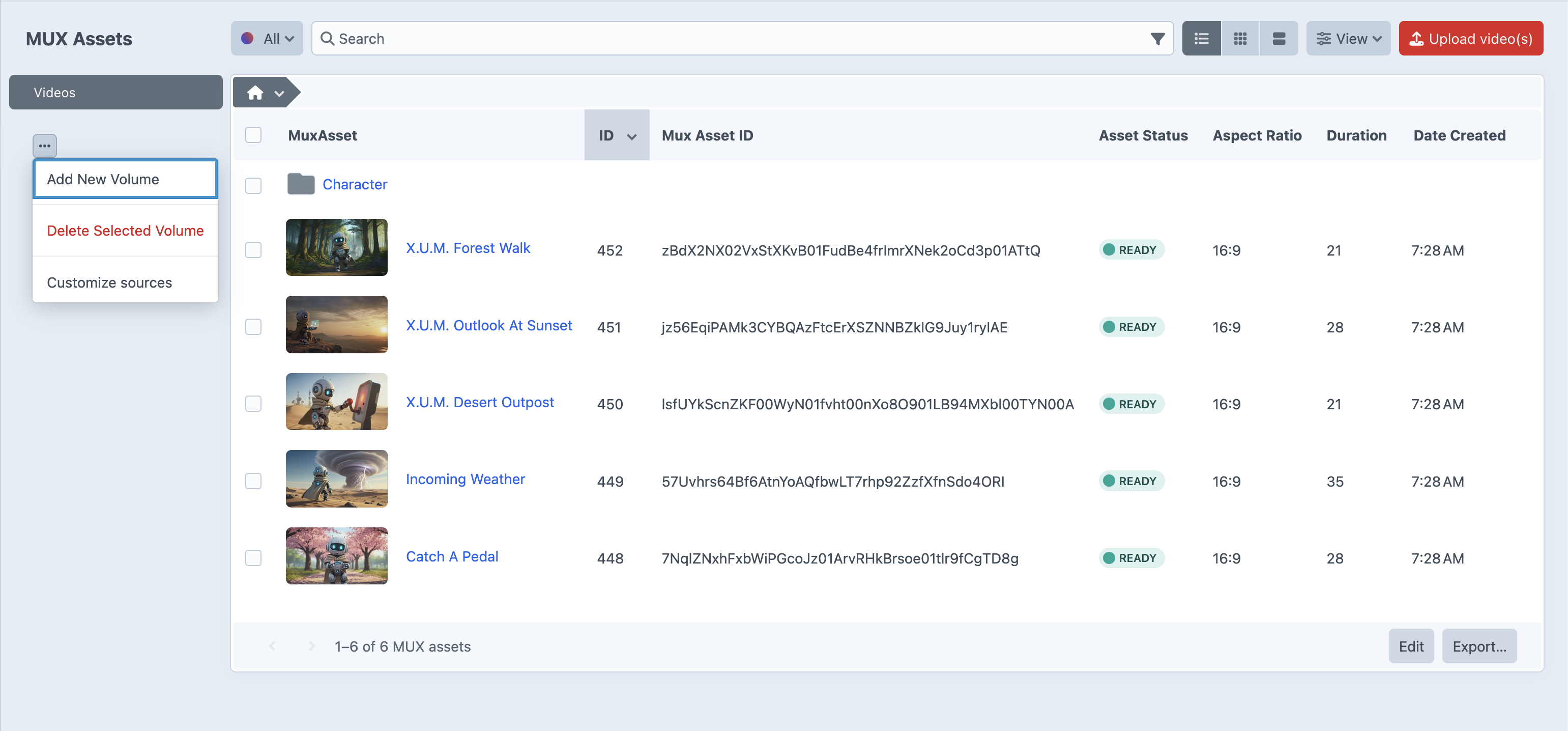
Since Volumes and Folders are virtual you can add and remove volumes from the index.
NOTE
When removing a volume you will be prompted to affirm. If affirmed it will delete all contents.
Element Index Folder Actions
NOTE
When removing a folder you will be prompted to affirm. If affirmed it will delete all contents.