Mux Asset Edit View
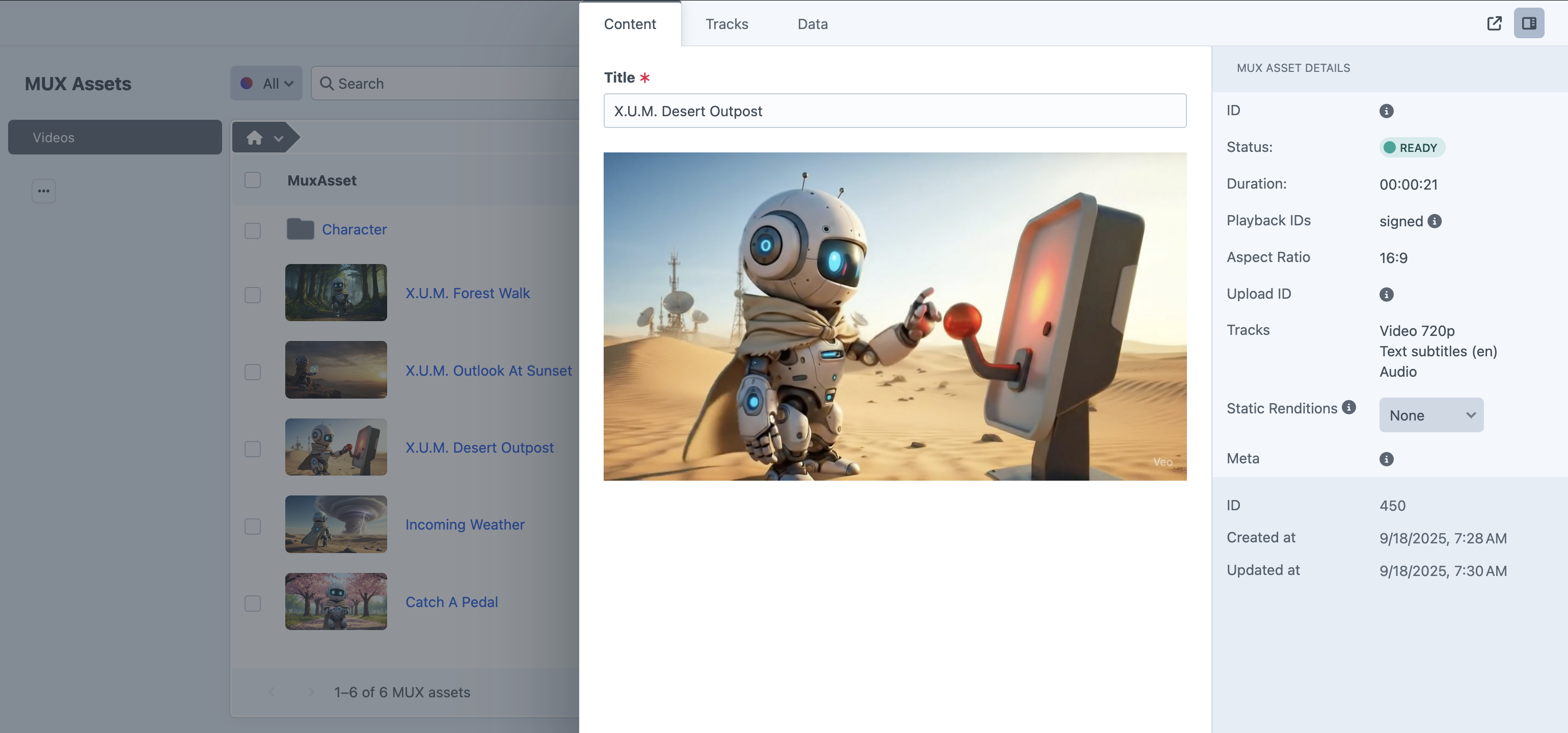
Mux assets in Craft closely mirror the data structure found on Mux, ensuring consistency between platforms. Most asset data—such as video properties—is read-only and cannot be modified. However, you can update the Title, add Static Renditions, and manage Audio and Closed Caption Tracks.
If an asset has no playback_ids yet (still processing, errored, or a non-fatal derived-track error such as auto-captions failing on a file with no audio), the CP field and edit view show a processing or error message instead of rendering mux-player. getPlaybackId() returns null in that state.
Audio-only assets
Assets with tracks but no video track (muxAsset.isAudioOnly) are treated as audio:
- Aspect ratio is hidden in the sidebar and edit view.
- MP4 Support capped-resolution options and specific static-rendition resolutions are disabled; Highest and Audio Only remain available.
- Thumbnails and hover-to-animated-preview are skipped; the index uses an audio icon.
- Signed playback still uses a video JWT; thumbnail and storyboard tokens are omitted in the CP player.
Each Mux asset includes a meta property, where the plugin stores the title, the Craft element ID (as the external ID), and the site name (as the creator ID). Additionally, Mux provides a passthrough parameter for storing small amounts of custom data. The plugin uses this to save a compact JSON string containing the assigned volume and folder IDs for each asset.
Slideout Edit View
Static Renditions
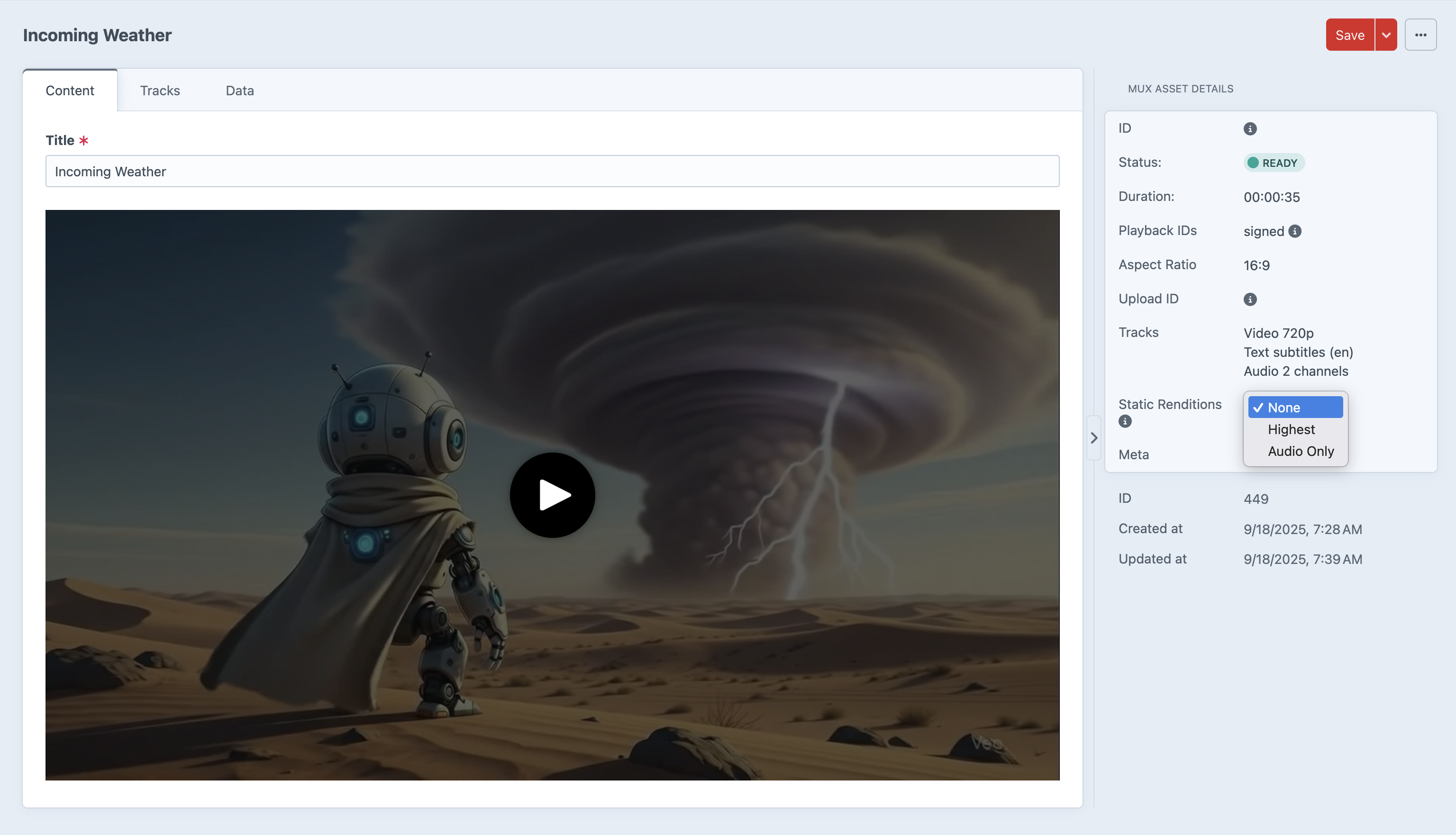
Static renditions generate downloadable MP4 files from your Mux asset. You can select multiple resolutions simultaneously: Highest (capped at source quality), specific tiers (2160p, 1440p, 1080p, 720p, 540p, 480p, 360p, 270p), or Audio Only. Highest is mutually exclusive with specific resolutions — to switch between them, first uncheck and save to remove the current selection, then choose the new type and save again. Mux enforces upscale prevention: renditions above the source resolution will be rejected. On audio-only assets, specific video resolutions are disabled in the CP.
{% set muxAsset = craft.mux.one() %}

{# For usecured assets #}
{% if muxAsset.static_renditions|length %}
        <a href="https://stream.mux.com/{{ muxAsset.playback_ids[0].id }}/{{ muxAsset.static_renditions.files[0].name }}?download={{ muxAsset.title }} download target="_blank">Download Video</a>
{% endif %}

{# For secured playback assets #}
{% if muxAsset.securePlayback %}
    {% set videoToken = muxAsset.getSecurePlaybackJWT(keyID, 'v') %}
    {% if muxAsset.static_renditions|length %}
            <a href="https://stream.mux.com/{{ muxAsset.playback_ids[0].id }}/{{ muxAsset.static_renditions.files[0].name }}?download={{ muxAsset.title }}&token={{ videoToken }}" download target="_blank">Download Video</a>
    {% endif %}
{% endif %}

{# For multiple static renditions #}
{% if muxAsset.static_renditions.files|length %}
{% for file in muxAsset.static_renditions.files %}
    <a href="https://stream.mux.com/{{ muxAsset.playback_ids[0].id }}/{{ file.name }}?download={{ muxAsset.title }}" download target="_blank">Download Video/Audio ({{ file.resolution }})</a>
{% endfor %}
{% endif %}
Tracks
When an asset is created, the plugin can automatically request caption generation from Mux. This is controlled by the Auto-Generate Captions plugin setting. When enabled, Mux generates a subtitle track in the language configured by Default Generated Subtitle Language. View MUX Documentation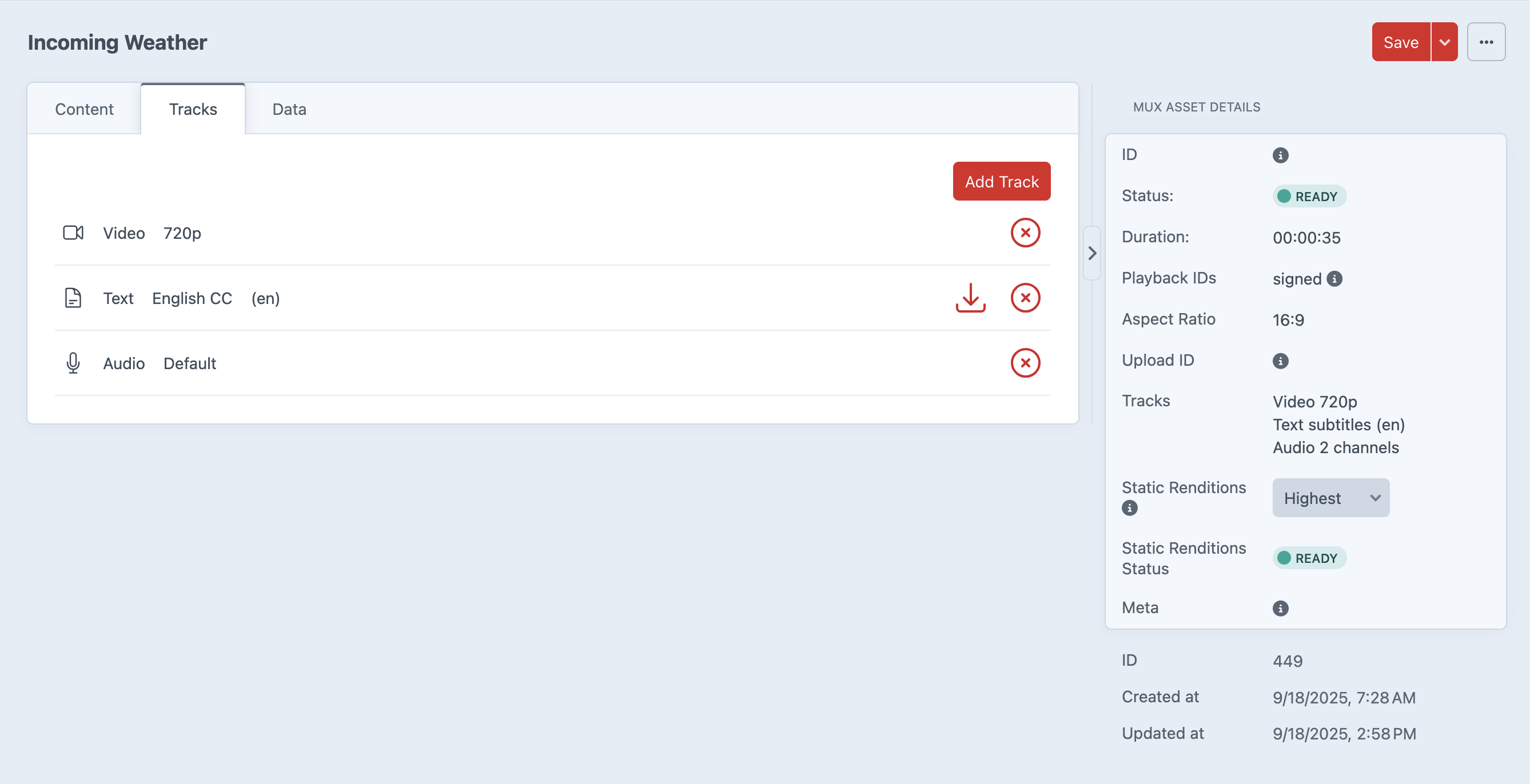
Closed Captions
For text tracks, the URL is the location of subtitle/captions file. Mux supports SubRip Text (SRT) and Web Video Text Tracks formats for ingesting Subtitles and Closed Captions. 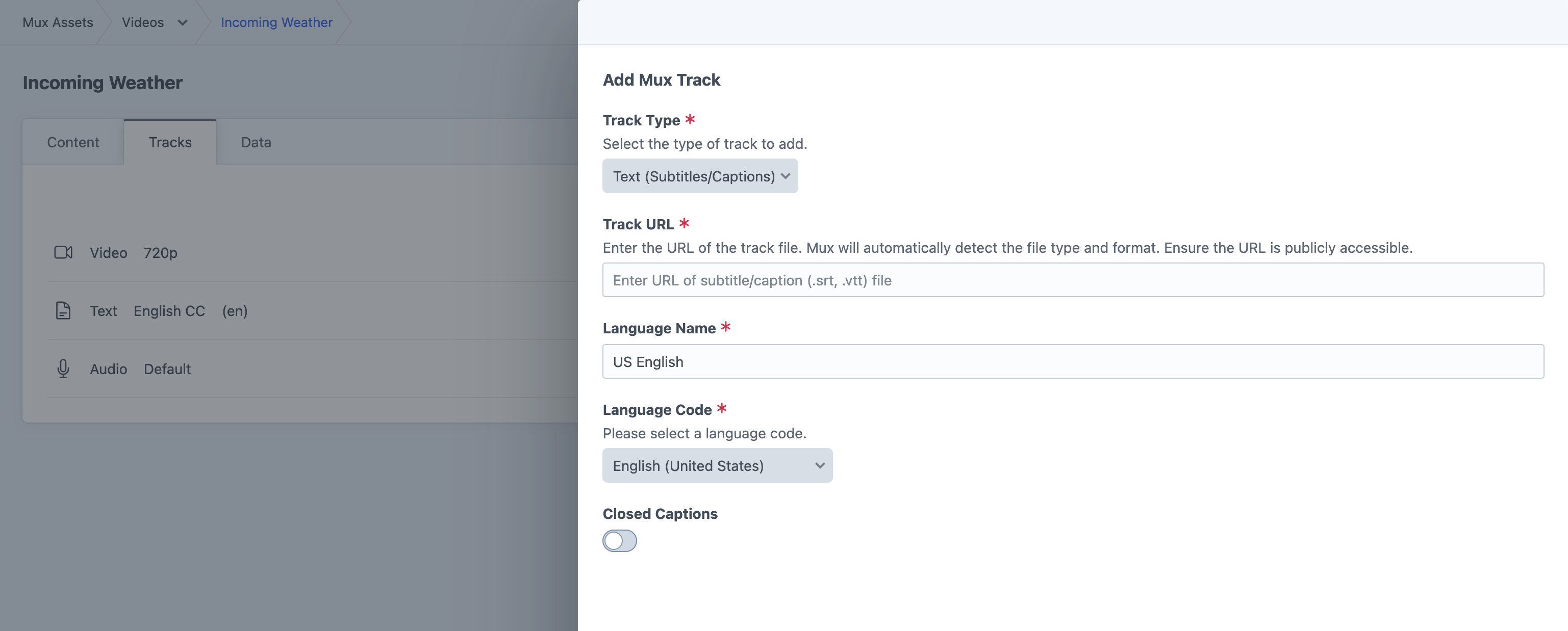
Audio Tracks
For audio tracks, the URL is the location of the audio file for Mux to download, for example an M4A, WAV, or MP3 file. Mux supports most audio file formats and codecs, but for fastest processing, you should use standard inputs wherever possible. 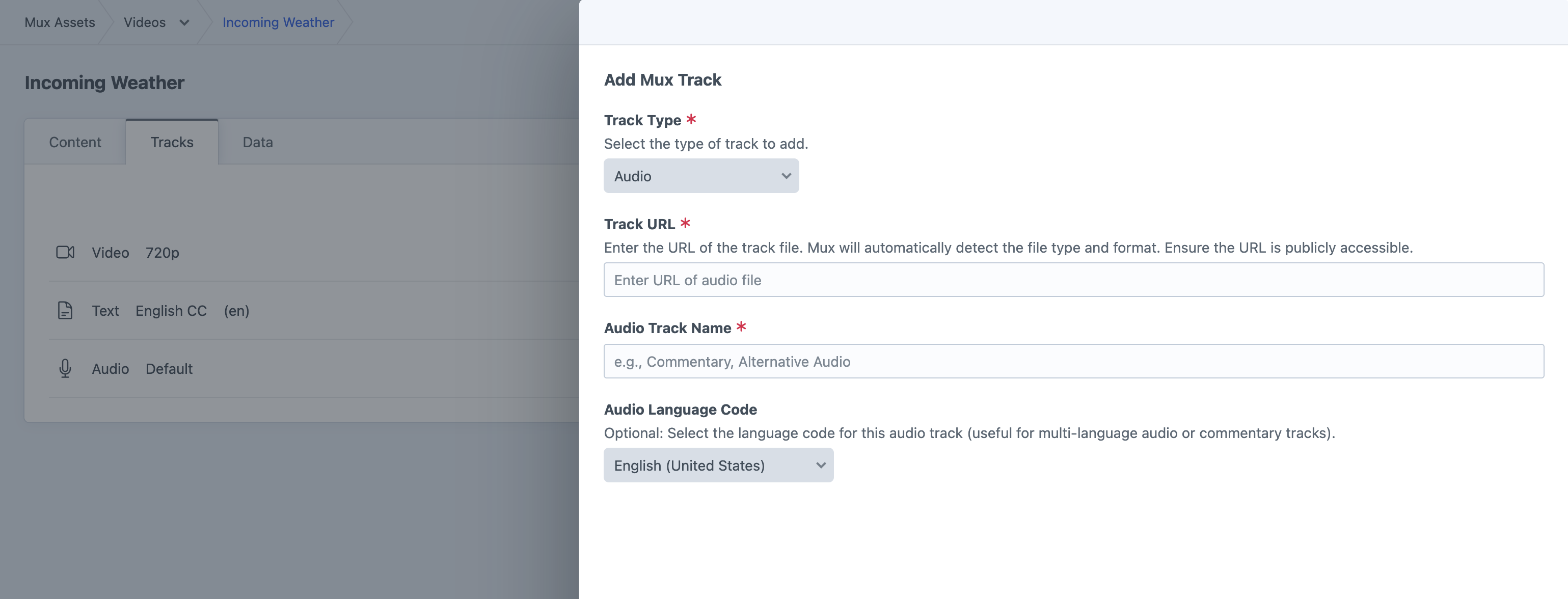
Asset Data
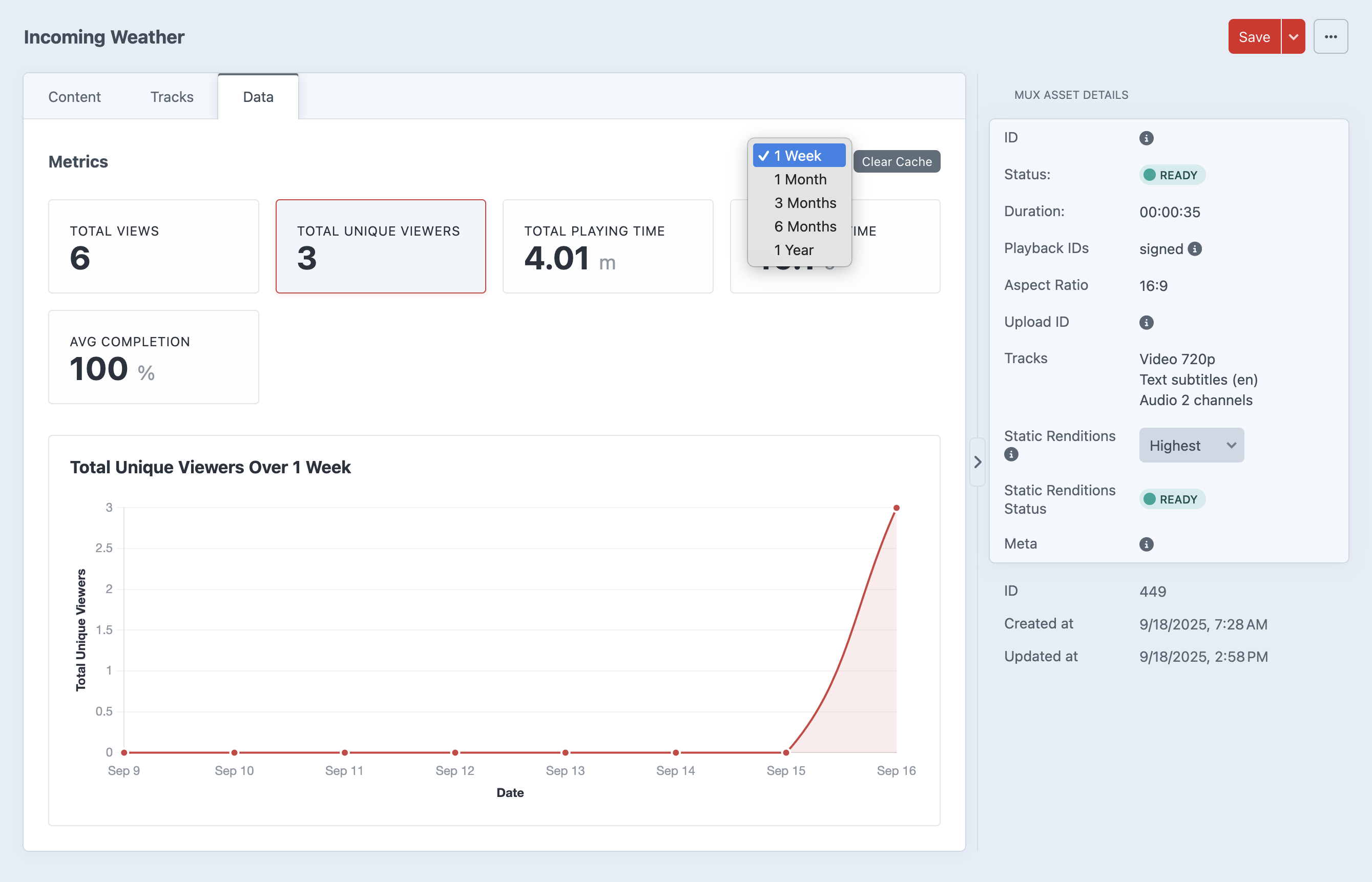
The data view show analytics regarding that specific MUX asset. This data can beviewed over several slective time spans. We cache the data so as not to hit the MUX api to often and have provided a button to clear that cache when you data is stale. Console Commands are also available to clear the cache.